Media
Media elements include any image, audio file, or video.
Images
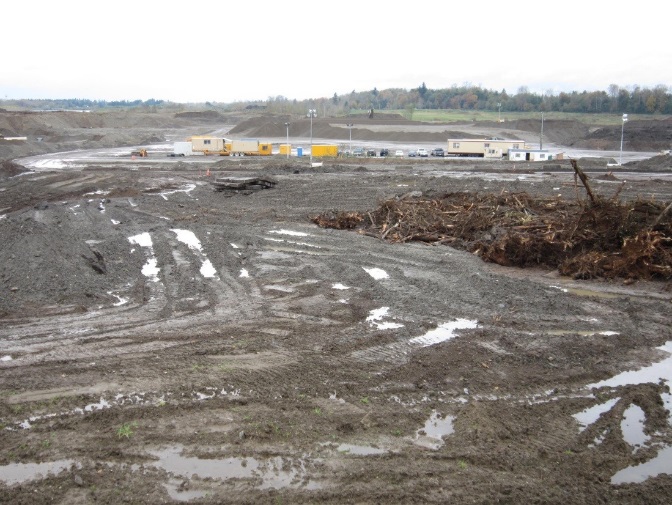
Mining pit operations
<figure class="img">
<img src="/assets/mining-pit-operations.jpeg" alt="a photograph of a mining operation" />
<figcaption>
<p>Mining pit operations</p>
<footer>
<small class="license">BCIT 2019</small>
</footer>
</figcaption>
</figure>
#image
Alt: a photograph of a mining operation
Mining pit operations
License: BCIT 2019
/image
Images should be JPG, PNG, or SVG files, preferably optimized for the web.
Optional elements:
Alt Text
Include alternative (alt) text with images whenever possible. Alt text is, ideally, a short description that helps someone understand the image if they can’t see it.
Captions
Any text that is not preceded with either 'Alt:' or 'License:' and is between the #image and /image markers is considered caption text.
License Information
Add "Licence: your reference or source text here" after the caption text and before the closing /image marker.
Including titles for images helps readers comprehend the text.
Images should serve an informational purpose. If an image is purely decorative, it should be appropriately sized for the content.
Avoid Using MS Word Captions
Content placed in Word's built-in image "Insert Caption" function can't be converted.
Audio Files
Field recording of bird song.
<figure class="audio">
<audio controls>
<source src="https://freesound.org/data/previews/417/417476_47392-lq.mp3" type="audio/mpeg" />
</audio>
<figcaption>
<p>Field recording of bird song.</p>
<footer>
<small class=”license”>CC BY 3.0 <a href="https://freesound.org/people/thsha1/sounds/417476/">ambient_bird_song.flac</a>; accessed February 8, 2018.</small>
</footer>
</figcaption>
</figure>
#audio
Source: https://freesound.org/data/previews/417/417476_47392-lq.mp3
Field recording of bird song.
License: CC BY 3.0 ambient_bird_song.flac; accessed February 8, 2018.
/audio
Audio files should be one of these formats:
- MP3
- M4A
- WAV
- a link to a page with embed options (like SoundCloud)
File names are lowercase with no spaces or special characters.
We recommended that you discuss recording of audio files with a media producer to ensure the best quality.
It's also a good idea to provide a transcript of the content to make it more accessible to those with difficulty hearing.
Microsoft 365 Word features a built-in transcription tool that allows users to upload audio files and automatically converts them into text transcripts.
It's still important to review auto-generated transcripts for accuracy.
Optional elements:
Alt Text
Include alternative (alt) text with audio files whenever possible. Alt text is, ideally, a short description that helps someone understand the audio file if they are unable to hear it.
Captions
Any text that is not preceded with either 'Alt:' or 'License:' and is between the #audio and /audio markers is considered caption text.
License Information
Add "Licence: your reference or source text here" after the caption text and before the closing /audio marker.
Videos
Embedded Video
BCIT Burnaby Campus in 30 Seconds
Video File
A 20-second timelapse video of the beautiful turquoise waters of Moraine Lake set against the majestic Rocky Mountains.
<h2>Embedded Video</h2>
<figure class="video">
<iframe width="560" height="315" src="https://www.youtube.com/embed/fTHSmKd8OvY" frameborder="0" allowfullscreen>
</iframe>
<figcaption>
<p>BCIT Burnaby Campus in 30 Seconds</p>
<footer>
<small class=”license”>BCIT 2019</small>
</footer>
</figcaption>
</figure>
<h2>Video File</h2>
<figure class="video">
<video src="../../assets/moraine-lake-time-lapse.mp4" controls>
<source src="" type="video/mp4">
Your browser does not support the video tag.
</video>
<figcaption>
<p>A 20-second timelapse video of the beautiful turquoise waters of Moraine Lake set against the majestic Rocky Mountains.</p>
<footer>
<small class="license">Video by <a href="https://pixabay.com/users/rainmeditatehub-51172146/">Rain MeditateHub</a> from <a href="https://pixabay.com/">Pixabay</a>
</small>
</footer>
</figcaption>
</figure>
Embedded Video
#video
Source: https://www.youtube.com/embed/fTHSmKd8OvY
BCIT Burnaby Campus in 30 Seconds
License: BCIT 2019
/video
Video File
#video
Source: moraine-lake-time-lapse.mp4
A 20-second timelapse video of the beautiful turquoise waters of Moraine Lake set against the majestic Rocky Mountains.
Licence: Video by Rain MeditateHub from Pixabay
/video
Videos can be displayed as either embedded content from another platform like YouTube or Vimeo, or as uploaded video files. Supported file formats are MP4, WebM or Ogg. Other formats like MOV, M4V or WMV can work, but they'll be converted to MP4 and will lose quality in the conversion.
If you have more than three videos to display in a row on the same page, consider using Swappers.
Optional elements:
Alt Text
Include alternative (alt) text with videos whenever possible. Alt text is, ideally, a short description that helps someone understand the video if they are unable to view it.
Captions
Any text that is not preceded with either 'Alt:' or 'License:' and is between the #video and /video markers is considered caption text.
License Information
Add "License: your reference or source text here" after the caption text and before the closing /video marker.
Developer Notes
Aspect Ratio
Embedded videos such as those from YouTube (not video files) will have a 16:9 aspect ratio by default. You can manually switch this to 4:3 by adding a "square" class to the figure tag.
License Markup
Size and Position
Lorem ipsum dolor sit amet, consectetur adipisicing elit. Earum, aliquam, cupiditate blanditiis quam aliquid itaque eligendi nisi assumenda, distinctio sint minima repudiandae! Ab necessitatibus mollitia, voluptate ut quaerat nulla suscipit?
Lorem ipsum dolor sit amet, consectetur adipisicing elit. Earum, aliquam, cupiditate blanditiis quam aliquid itaque eligendi nisi assumenda, distinctio sint minima repudiandae! Ab necessitatibus mollitia, voluptate ut quaerat nulla suscipit?
<figure class="img smaller right">
<img src="/assets/mining-pit-operations.jpeg" alt="a photograph of a mining operation" />
<figcaption>Mining pit operations</figcaption>
</figure>
<p>Lorem ipsum dolor sit amet, consectetur adipisicing elit. Earum, aliquam, cupiditate blanditiis quam aliquid itaque eligendi nisi assumenda, distinctio sint minima repudiandae! Ab necessitatibus mollitia, voluptate ut quaerat nulla suscipit?</p>
<p>Lorem ipsum dolor sit amet, consectetur adipisicing elit. Earum, aliquam, cupiditate blanditiis quam aliquid itaque eligendi nisi assumenda, distinctio sint minima repudiandae! Ab necessitatibus mollitia, voluptate ut quaerat nulla suscipit?</p>
#image
Alt: a photograph of a mining operation
Mining pit operations
/image
To request a specific size or position, leave instructions in a Word comment. See the essential tips section about leaving instructions for more help.
Image Position
Describing the size and position of content online is more of a suggestion than decree. For this reason, it is highly recommended to avoid describing figures based on their location. Statements such as "the image on the right" will sound silly if read on smaller devices.
Developer Notes
One feature built into this framework is to maintain a minimum text column width. If push comes to shove, the framework will move the figure rather than compromising on readability. Similarly, as large as you may like a figure to be, it is necessarily confined by the widths of the viewport.
Position
There are only two options for position:
- left
- right
Otherwise, figures are centered by default.
Never specify a position by itself. Always use the position in combination with size, otherwise we cannot maintain the minimum text column width...
Sizing
The following sizes are available:
- full-width
- largest
- larger
- large
- [none specified]
- small
- smaller
- smallest
These widths are relative to the maximum text column width (eg the widest the text can stretch on a large screen). Naturally, smaller sizes are smaller and larger sizes are larger than this size. "None specified" is a little more complicated as it varies depending on the type of figure. Most will be the default width, but images will take on their natural width.
"None specified" is not an option if you are positioning a figure. Select one of the others.
Expert level sizes
You can't use these in combination with positioning, but they may come in handy for certain edge cases. They are:
- width[%]
- height[px]
For example, width33 will be 33% of it's parent container. Alternatively, height17 would be... 25px high (it's always rounded up to the nearest 25).
Slider
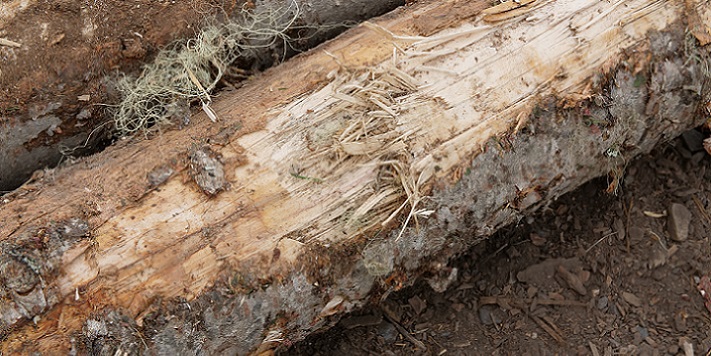
Damaged Log
Lumber Yard
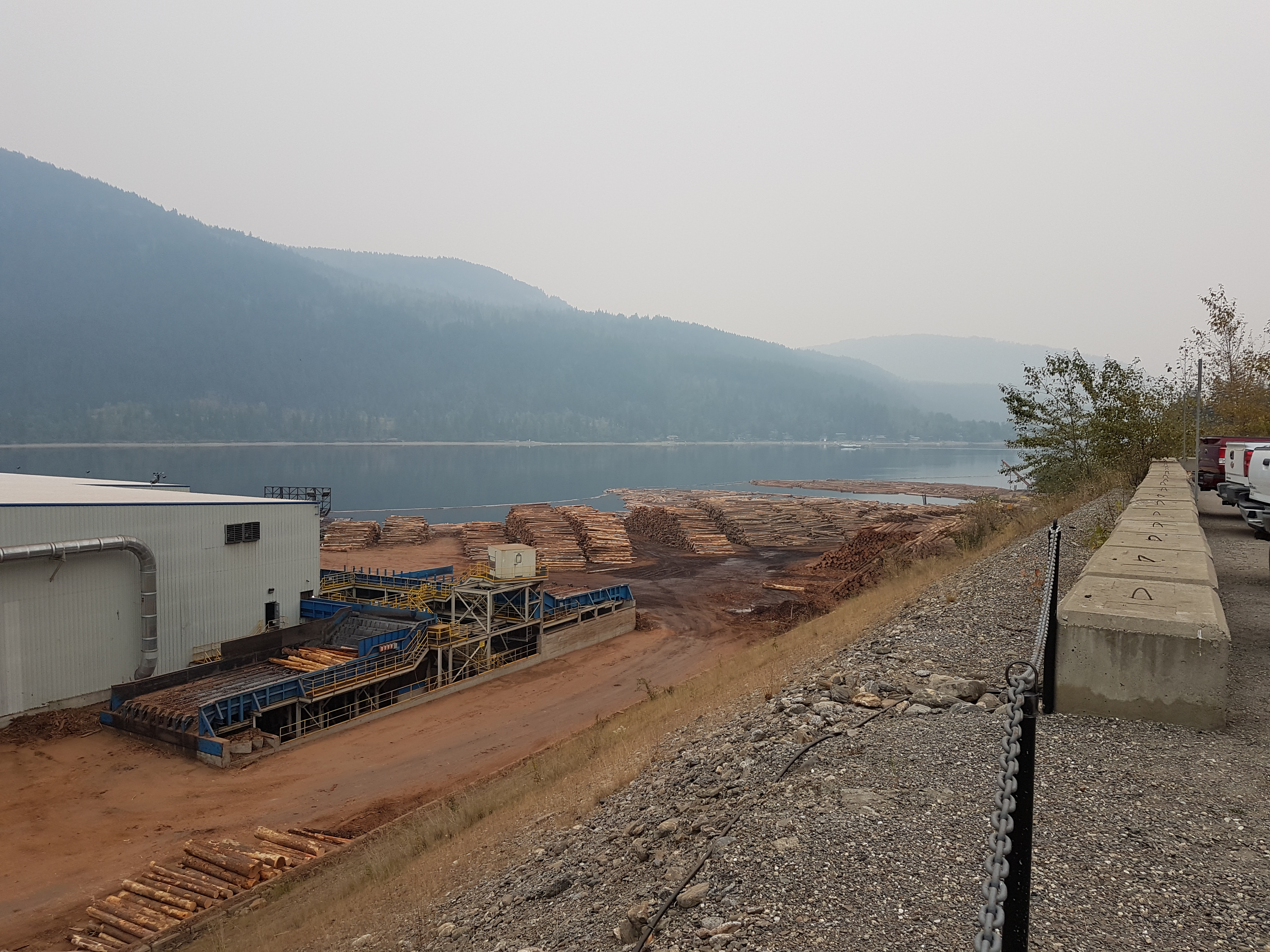
The purpose of a log yard is to store logs delivered to a Sawmill until they are processed. The cost of logs represents 60-70% of the lumber production; hence, it is important to ensure the logs received meet the Sawmill’s requirements in terms of desirable species, log lengths, minimum top diameters, and knot and defect sizes and distributions. Any deviations from the Sawmill’s requirements can have an impact on the mill profit. Some of the common errors include bucking to incorrect lengths and log damage.
In a log yard, logs are stored in piles for a determined period. Logs may biodegrade if stored for extended periods. The piles of logs can be sorted by age, species, or place of origin. It is important to arrange the piles in a log yard to minimize log handling and avoid physical damages to the logs, which leads to loss of recovery. Equally important is to avoid log contamination with dirt and rock, which can shorten the life of debarking/bucking equipment and affect hog quality.
Machine maintenance
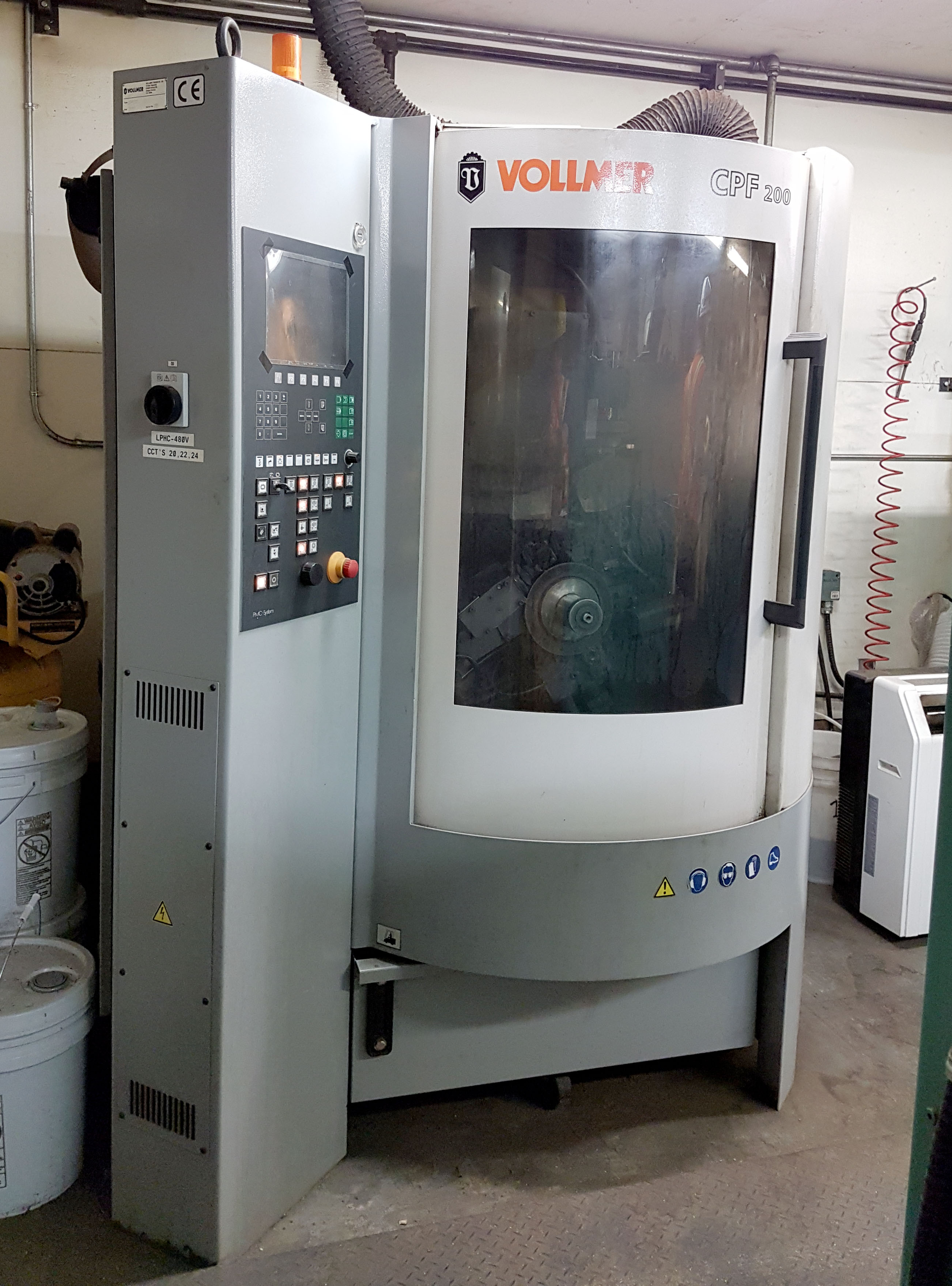
Equipment Calibration
Equipment calibration is part of regular maintenance.
- Perform periodic maintenance and calibration of scanners following manufacturer recommendations.
- Perform regular computer hardware maintenance.
- Ensure optimization software is working as expected.
<div class="slider">
<figure class="img">
<h2>Damaged Log</h2>
<img src="/assets/damaged-log.jpg" alt="Damaged Log">
<figcaption>Log damaged in the log yard due to poor handling by mobile equipment.</figcaption>
</figure>
<figure class="img">
<h2>Lumber Yard</h2>
<img src="/assets/lumber-yard.jpg" alt="Wide angle photograph of the lumber mill yard">
<figcaption>
<p>The purpose of a log yard is to store logs delivered to a Sawmill until they are processed. The cost of logs represents 60-70% of the lumber production; hence, it is important to ensure the logs received meet the Sawmill’s requirements in terms of desirable species, log lengths, minimum top diameters, and knot and defect sizes and distributions. Any deviations from the Sawmill’s requirements can have an impact on the mill profit. Some of the common errors include bucking to incorrect lengths and log damage.</p>
<p>In a log yard, logs are stored in piles for a determined period. Logs may biodegrade if stored for extended periods. The piles of logs can be sorted by age, species, or place of origin. It is important to arrange the piles in a log yard to minimize log handling and avoid physical damages to the logs, which leads to loss of recovery. Equally important is to avoid log contamination with dirt and rock, which can shorten the life of debarking/bucking equipment and affect hog quality.</p>
</figcaption>
</figure>
<figure class="img">
<h2>Machine maintenance</h2>
<img src="/assets/mill-machine.jpg" alt="A headrig machine">
<figcaption>
<h3>Equipment Calibration</h3>
<p>Equipment calibration is part of regular maintenance.</p>
<ul>
<li>Perform periodic maintenance and calibration of scanners following manufacturer recommendations.</li>
<li>Perform regular computer hardware maintenance.</li>
<li>Ensure optimization software is working as expected.</li>
</ul>
</figcaption>
</figure>
<figure class="img">
<img src="/assets/signpost.jpg" alt="Signpost">
<figcaption>Warning signs in the yard.</figcaption>
</figure>
</div>
#slider
Damaged Log
Log damaged in the log yard due to poor handling by mobile equipment.
Lumber Yard
The purpose of a log yard is to store logs delivered to a Sawmill until they are processed. The cost of logs represents 60-70% of the lumber production; hence, it is important to ensure the logs received meet the Sawmill’s requirements in terms of desirable species, log lengths, minimum top diameters, and knot and defect sizes and distributions. Any deviations from the Sawmill’s requirements can have an impact on the mill profit. Some of the common errors include bucking to incorrect lengths and log damage.
In a log yard, logs are stored in piles for a determined period. Logs may biodegrade if stored for extended periods. The piles of logs can be sorted by age, species, or place of origin. It is important to arrange the piles in a log yard to minimize log handling and avoid physical damages to the logs, which leads to loss of recovery. Equally important is to avoid log contamination with dirt and rock, which can shorten the life of debarking/bucking equipment and affect hog quality.
Machine maintenance
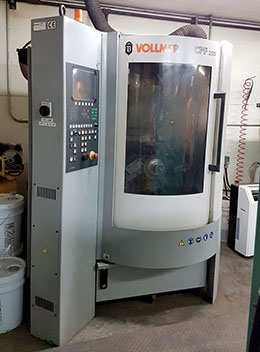
Alt: A headrig machine
Equipment Calibration
Equipment calibration is part of regular maintenance.
- Perform periodic maintenance and calibration of scanners following manufacturer recommendations.
- Perform regular computer hardware maintenance.
- Ensure optimization software is working as expected.
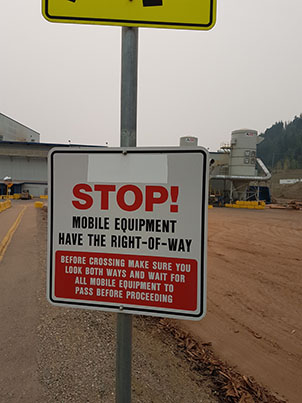
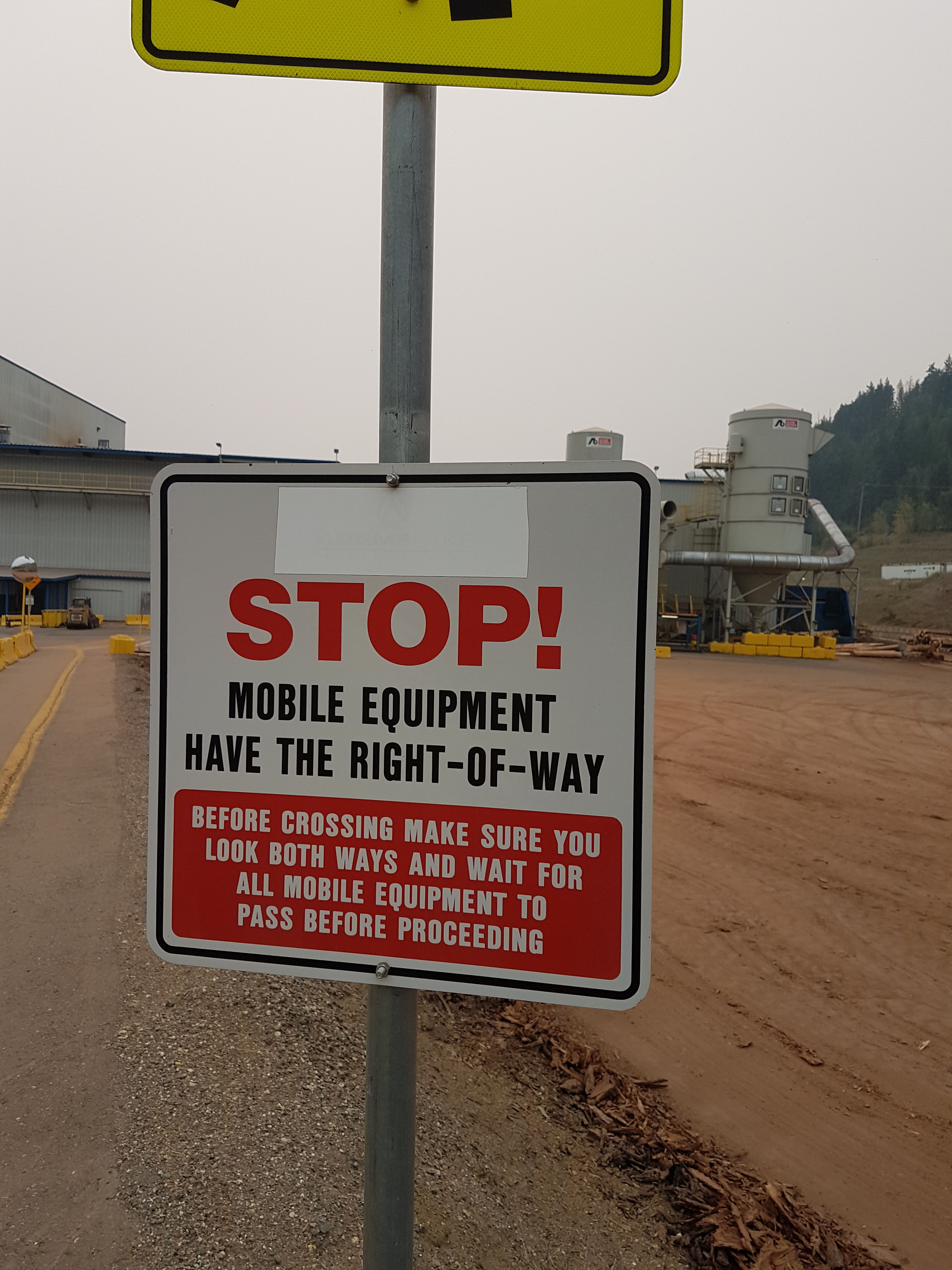
Alt: warning signpost
Warning signs in the yard.
/slider
Use a slider to conveniently display multiple images.
Optional elements include:
- Title
alttext- Caption text
Images should be JPG, PNG or GIF files, preferably optimized for the web.
File names are lowercase with no spaces or special characters.
Caption text, by default, is displayed until the "Hide Caption" arrow is toggled.
Include alternative (alt) text with images whenever possible. Alt text is, ideally, a short description that helps someone understand the image if they can’t see it.